


The app works best with Google Chrome. If you experience any problems, see known issues at the end of this page.
There are two phases to the setup:
Phase ONE
As the buyer, you need to be able to get a report on your employee/s good an bad habits.
Go to www.face-time-clock.net
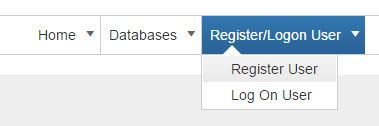
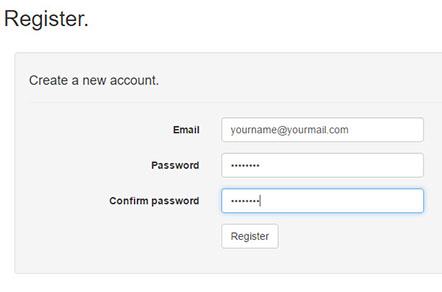
Note: The password needs to contain a combination of lower case and capital letters, numbers and special characters.
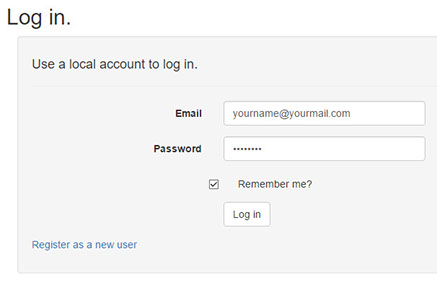
Once registered you can log on

and start capturing your administrator details.
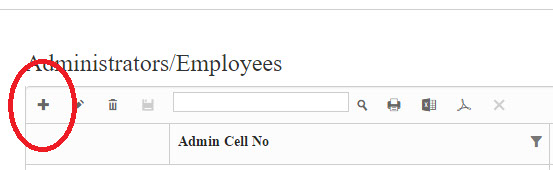
Click on the plus sign, the following window will appear.
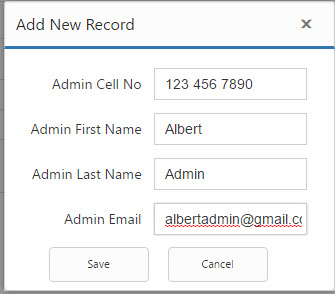
NOTE: You may have more than one administrator attached to an account. (Husband and Wife or Business Partners)
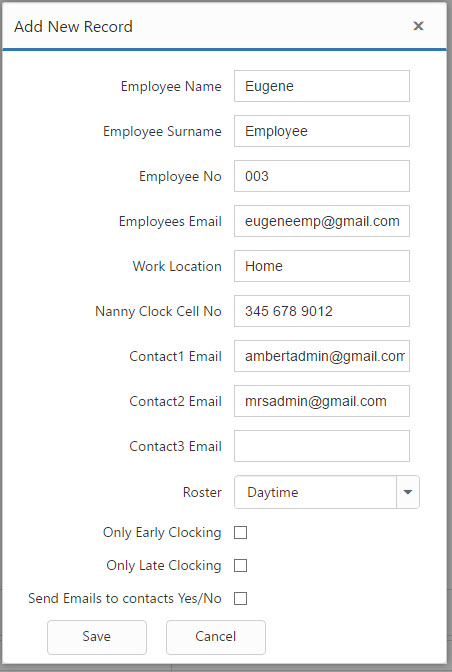
Now you can capture your employee/s details.
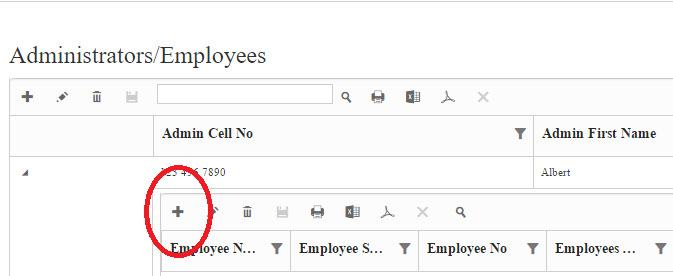
Don't forget the plus sign.

Add your rosters (don’t forget the plus sign)
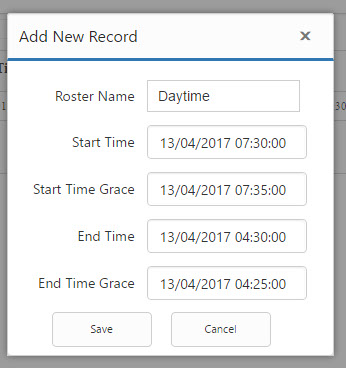
Once you have captured your employees’ and rosters you are ready for:
Phase TWO
The first thing you need to do is find your old (but not antique) smartphone, then log on to the NannyClocks app from this phone.
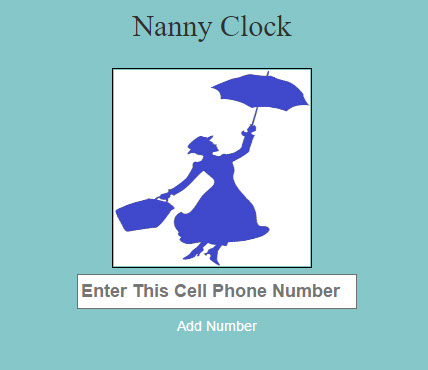
The first time you open the app you will be prompted to "Take your picture"
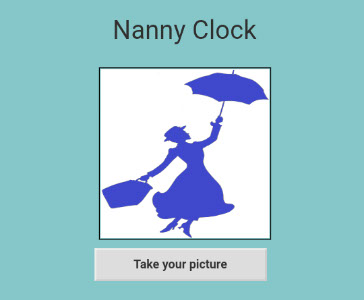
1. Click on the "Take your picture" button.
2.Choose an action. Select camera > select selfie > take picture. It is unlikely that you will be happy with the first attempt so click cancel and start the procedure again until you are satisfied with the results.
Once the employee is registered they will be able to start clocking.
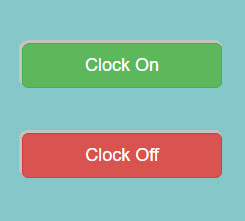
There is a GREEN line they need to touch on the smartphone to CLOCK IN.
To clock OUT, they touch the RED line. Easy as that.
(The boss is the administrator of the system and has password protected access rights to the system.)
When the worker clocks IN or OUT, by taking their picture, the information (i.e. employee name, date and time and direction) is sent to the cloud. This employee clock data is stored in the "Cloud" which means you will be able to login and get a report from anywhere in the world.
Your roster setup allows for late arrivals and early departures to be highlighted (e.g. your employee rosters is set so that they finish work at 16:30 but they physically clocked at 16:15. Why? You now have the ammunition to allow you to start asking questions, whereas before you had no proof.)
What time did they start, what time did they take a break, what time did they go home (End of Shift)?
Known Issues
1. You cannot install Google Chrome.
Your SmartPhone is too "Ancient"
2. The screen appears as garbage.
Your SmartPhone is too "Ancient"